

How To Get Refund On Uber Eats
Ordering food online is very convenient with our busy schedules. However, online payments can sometimes go wrong, if not handled with care. There might be several reasons for a refund on your money. For example, placing an order and then canceling it, making a wrong payment, etc. You will learn how to get a refund on Uber Eats in this article.
Step to getting Refund on Uber Eats
Follow the given steps to get refund on Uber eats:
**Click on the given link to learn how the system of refunding works.
http://www.businessdictionary.com/definition/refund.html
Step 1: Open the app
Open Uber Eats by clicking on the app on your desktop or your mobile phone by clicking on it. The app looks like as given in the picture below.

Step 2: Your Previous Orders
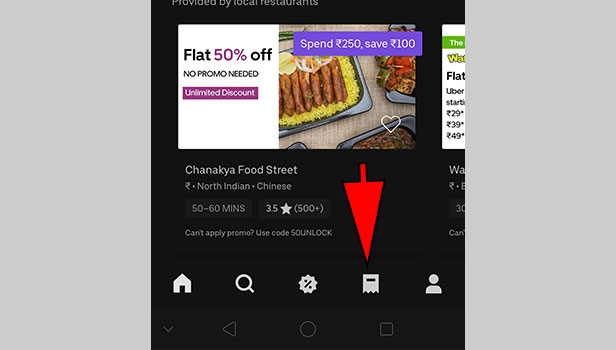
Go to your previous orders list option that is situated in the bottom part of your screen. You will find all your recent orders, along with your payments and the specifics here. The symbol looks like a draft/ flag as is shown in the image below.
Step 3: Recent order which needs a refund
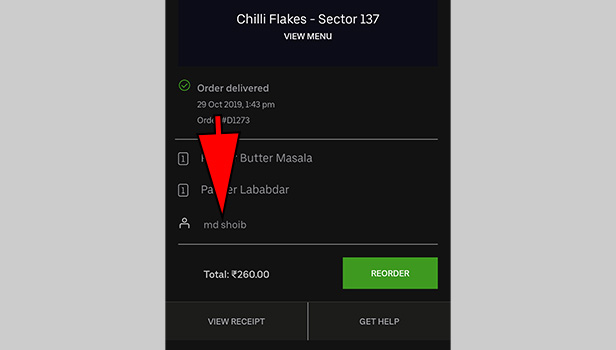
Select the recent most order which you want a refund for. You will find all the details here, including the delivery status, payment status, items included and the name of the person who delivered your order.
Click on the name of the delivery person that is given on the bottom-most part of the screen containing the specifics of your order.
Step 4: Rate your experience
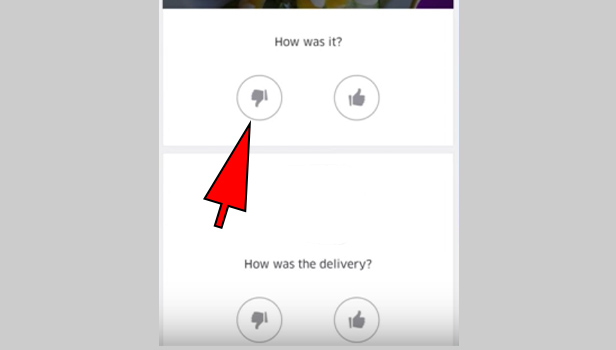
Next, you will find several options that ask for your opinion on the order. You will find a dislike button and a like button to each rating question. Click on the dislike option according to your complain. As given in the given image,
Step 5: Rate your delivery guy experience
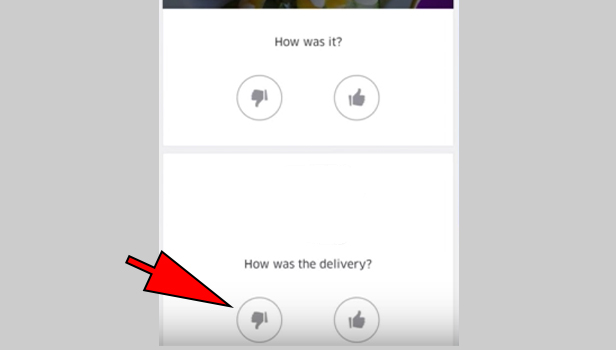
You will find another rating question, as shown in the figure. Hit the dislike button to this question, as is pointed out in the image given below.
Step 6: What has gone wrong with the delivery
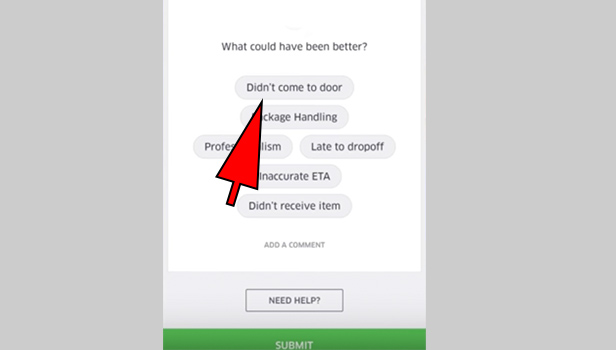
After you rate the experience and hit the dislike button to the 'delivery question', you come to a new screen. You will find the list of all the possible reasons of what could have been wrong with the delivery. in other words, they are the common complaints that the users face. Go through all the reasons and find your corresponding complaint.
Select the desired option by clicking on it. Some of the options available are:
(as given in the given below)
- Didn't come to the door.
- Package Handling
- Late to drop off
- Didn't receive item.
- Inaccurate ETA
- Professionalism etc.
Step 7: Adding a comment
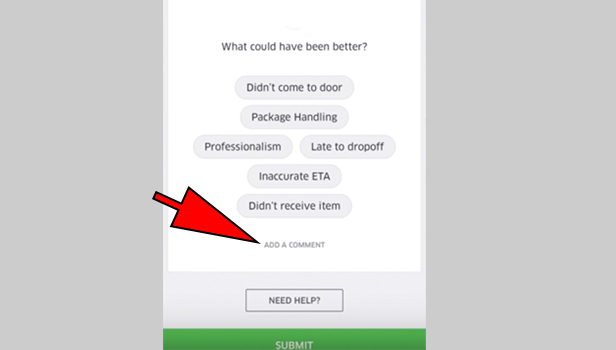
You will find options only that are common complaints and you might not find them satisfactory. Hence, to solve this, Uber eats also has an option that allows you to add a comment of your own. You can type your complaint yourself and add it there as a comment.
To do this, go to the extreme bottom of the page, where you will find an option that says ' Add a Comment' . Click on this option and then add your complaint.
Step 8: Final step- Submitting your response
This is the final most and the most important step of the process, that is, submitting your complaint for a refund. Go to the extreme bottom of the page, below the list of complaints and the 'add a comment' option. You will find a green button that says 'SUBMIT' . After you are sure of your ratings and your complaint, click on this button to submit your response. Look at the image given below for reference.
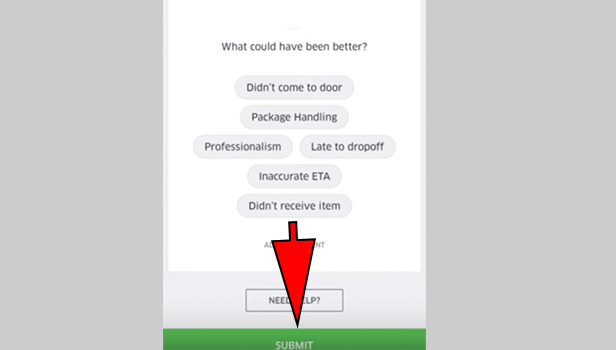
After completing the aforementioned steps of the article, your response/complaint is submitted and the processing of your complaint and request for a refund begins. This is how you can get a refund on Uber Eats, for reasons stated above.
How To Get Refund On Uber Eats
Source: https://www.uberguide.net/get-refund-on-uber-eats/
Posted by: stephenspably1960.blogspot.com
0 Response to "How To Get Refund On Uber Eats"
Post a Comment